


Metar-Taf - Visual decoder
4.850.00 Reviews
App Specs
- Version
- 2.8.0
- Updated On
- License
- $5.99
- Downloads
- 10,000+
- Developer
- Studio Eveline
- Categories
- Weather
- Platform
- Android, iOS
Screenshots
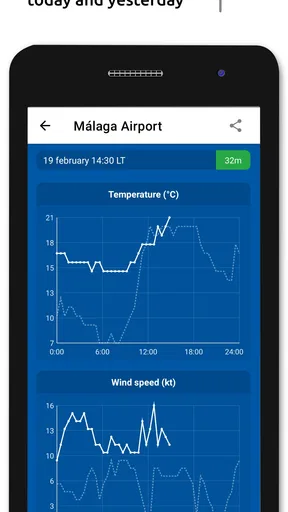
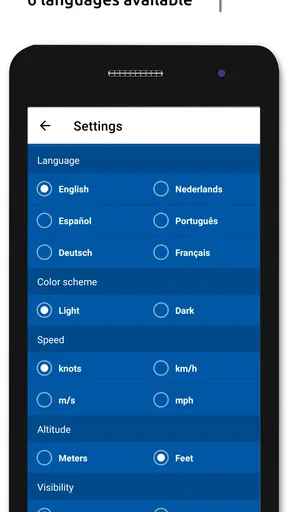
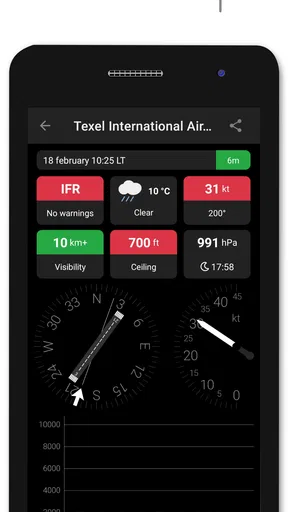
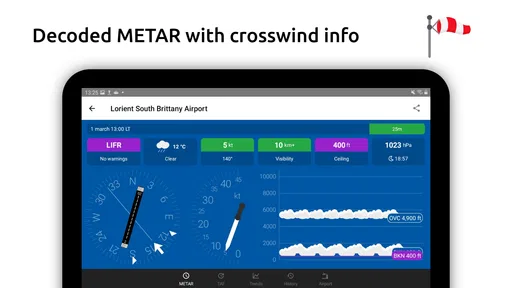
 Analysis by AppCompare
I've recently spent some quality time with the Metar-Taf - Visual Decoder app, and let me tell you, it's quite the handy tool for anyone who needs to stay updated with aviation weather. Whether you're a pilot, an aviation enthusiast, or just someone who enjoys keeping tabs on weather patterns, this app might just be what you're looking for.
Why the first week feels useful
The initial appeal is easy to understand: aviation reports can look like strings of abbreviations, and a visual explanation gives you a more approachable way in. I found the app most helpful when I wanted to turn a quick glance at a report into a clearer sense of what it describes, rather than stopping to decode each group from memory. That makes it a practical learning aid as well as a reference.
For a newcomer, I would use it alongside the raw report instead of treating the decoded view as a replacement. Looking at both encourages you to connect each displayed weather element with the code it came from. Over time, that habit can make the underlying format less intimidating, and it gives experienced users a quick way to check their interpretation without making the app responsible for every decision.
A realistic check before heading out
Imagine planning a day trip that involves a flight, or meeting someone who is flying into a nearby airport. You can look up the relevant station and use the visual breakdown to get oriented around conditions such as wind, visibility, and cloud cover. The useful part is not simply seeing a friendlier presentation; it is being able to focus your attention on the details that matter to your plans and then decide whether you need to consult a fuller briefing.
I would still treat aviation weather as something to verify through the appropriate operational sources, particularly when a decision affects safety. A decoder helps with comprehension; it does not replace judgement, training, or a complete pre-flight weather review. That distinction is important for anyone tempted to interpret a simple visual summary as a complete answer about whether a flight is suitable.
Where it fits among weather apps
Most general weather apps are designed around everyday questions: whether it will rain, how warm it will be, or what the forecast looks like locally. That is a different job from helping someone read METAR and TAF information. This app makes more sense when your interest is airport-specific aviation reporting, while a mainstream forecast app is usually the quicker choice for planning a walk, commute, or weekend outdoors.
It can also sit beside an aviation app or official briefing service rather than compete with one. If you already know how to read reports and need a broader operational picture, your existing tools may be more appropriate. If you are learning the terminology or want to inspect a report in a less cryptic format, the visual approach has a clearer role. The trade-off is focus: a specialist decoder is useful precisely because it does not try to be every kind of weather app.
Worth Reading Before You Choose

Flipboard Shows What News Apps Must Do Beyond the Feed

Switching to Android Auto Means Rethinking Your Driving Routine

Google Calendar Makes a Crowded Week Easier to Manage

Ludo King Makes the Most of the Minutes Between Plans

Baby Panda World Brings Quick Play to Modern Phones, but Its Game Library Feels Busy

ESPN’s Live Game View Makes Following Close Games Easier
First Impressions and User Interface
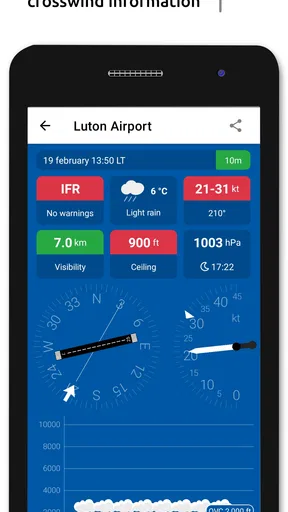
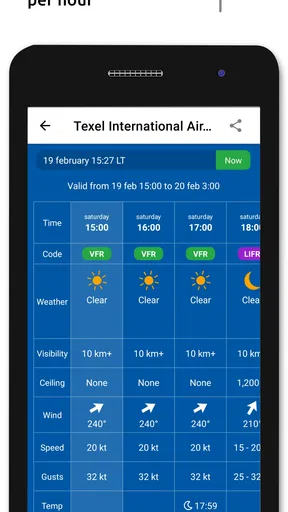
When I first opened the Metar-Taf - Visual Decoder, I was pleasantly surprised by its clean and intuitive interface. The app does a great job of presenting complex weather data in a way that's easy to understand, which is crucial when you're dealing with METAR and TAF codes. The use of visual aids to decode these codes is a lifesaver for those who might not be familiar with aviation-specific terminology.
Features That Stand Out
One of the standout features of this app is its ability to decode METAR and TAF data into a visual format. This means you don't have to be a weather expert to figure out what's happening in the skies. The app offers a straightforward explanation of the codes, breaking them down into understandable segments. For example, cloud cover, wind direction, and visibility are all displayed in a clear and concise manner.
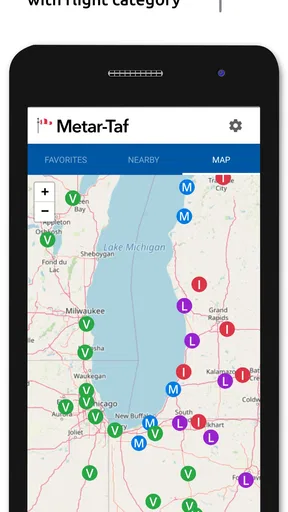
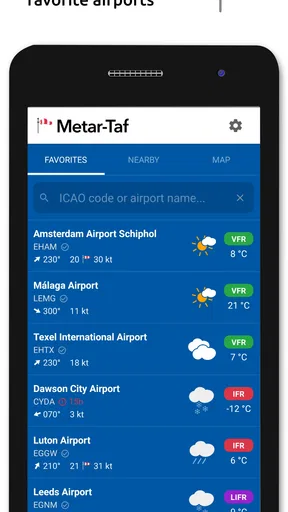
Another feature I found particularly useful is the ability to save and bookmark specific stations. This is perfect for frequent travelers or pilots who need to keep track of weather conditions at their regular destinations. Plus, the app allows you to search for stations using either ICAO codes or by browsing a map, which is super convenient.
Making the decoder part of a routine
The station tools become more valuable when they reflect a real routine rather than a list collected out of curiosity. I would keep a small set of places I genuinely check: a home airport, a destination, and perhaps an alternate relevant to a recurring trip. That makes returning to the app purposeful and reduces the friction of searching from scratch. If your interests shift, revisiting those saved stations is more useful than letting bookmarks accumulate without a reason.
A helpful habit is to compare the same station at different times, especially when a forecast is changing. The point is not to build a personal prediction from isolated reports, but to notice how the reported conditions evolve and to learn which parts of the METAR or TAF you need to pay attention to. For a student pilot or weather-curious reader, that can turn a quick check into a small, repeatable lesson.
Performance and Reliability
In terms of performance, the app runs smoothly without any noticeable lag. I tested it on both Android and iOS devices, and it worked flawlessly on both platforms. The data updates quickly, ensuring you have the latest information at your fingertips. This reliability is crucial, especially when you're relying on the app for accurate and timely weather updates.
Who should keep it installed
I see the strongest case for this app among pilots who want a readable companion for weather reports, aviation students building familiarity with coded observations, and enthusiasts who enjoy following conditions at particular airports. Studio Eveline has kept the idea focused: this is an aviation-weather app, not a general forecast dashboard. That focus is a benefit if METAR and TAF are part of your regular interests, but it narrows its usefulness for someone who only wants a simple answer about tomorrow's local weather.
It is also worth thinking about the learning stage. Beginners can benefit from the visual translation, but they should not assume that understanding a decoded line is the same as understanding the operational consequences. More experienced users may appreciate the faster scan, though those who already read reports fluently may not open a decoder often enough to justify a permanent place on their phone. In that case, it may be more useful as an occasional reference than a daily tool.
Personal Experience and Usability
Using the Metar-Taf - Visual Decoder has been a genuinely positive experience. The app is user-friendly, even for those who might not be tech-savvy. The learning curve is minimal, thanks to the straightforward design and helpful tutorials available within the app. I particularly appreciated the alert feature, which notifies you of significant weather changes. This feature ensures you're always prepared, no matter what Mother Nature throws your way.
Does it earn a place over time?
For me, the answer depends on whether aviation weather is something I return to. A useful first session can come from the novelty of seeing coded reports turned into a more approachable view; lasting value comes from using that view for a recurring purpose, such as checking familiar stations or building confidence with report structure. The app is at its best when it supports that small, steady habit rather than being opened only when curiosity strikes.
The app is priced at $5.99, so I would weigh that cost against how often I expect to use a specialist decoder. Its average rating is 4.9 from around a thousand ratings, and it has over 10,000 installs. Those figures suggest a positive reception, but they do not decide whether it suits your routine. I would consider the purchase more readily if I regularly read aviation reports; for occasional general weather checks, a free everyday forecast option is likely a better fit.
Maintenance, fatigue, and the practical trade-off
The maintenance burden seems modest in the ordinary sense: the main ongoing task is to keep the app available and return to it when a report is relevant. Its current version is 2.8.0, and it is intended for Everyone, with Android 7.0 or later as the minimum operating system. For iOS users, I would check compatibility in the relevant store before installing, rather than assuming the Android requirement applies there.
The more meaningful upkeep is mental, not technical. Weather tools can create fatigue when they encourage repeated checking without a clear question in mind. I would open this one to answer something specific—what is being reported at a station, or how a forecast is expressed—then move on to the broader briefing if the decision requires it. That approach keeps a focused decoder from becoming a source of unnecessary reassurance or distraction.
One practical trade-off is that visual simplicity can hide how much context a report needs. A tidy presentation is easier to scan, but aviation weather still involves timing, local conditions, and operational interpretation. I would resist drawing a firm conclusion from one decoded element, especially if conditions are changing or the stakes are high. The app is valuable as a way to understand the report, not as a shortcut around careful planning.
Room for Improvement?
While the app is generally excellent, there are a few areas where it could improve. For instance, adding a feature that explains the impact of certain weather conditions on flight operations could be beneficial for users who are new to aviation. Additionally, integrating real-time weather radar maps could enhance the overall experience, giving users a more comprehensive view of weather patterns.
There is a related limitation in deciding what tool to reach for. Someone wanting a broad picture of approaching precipitation or a casual local forecast may be better served by a general weather app with maps and everyday forecast views. Someone who needs an operational briefing should rely on the appropriate aviation resources, using a decoder as support rather than as the sole source. That boundary does not make the app less useful; it clarifies the job it is suited to do.
Overall, the Metar-Taf - Visual Decoder is a fantastic tool for anyone interested in aviation weather. Its user-friendly interface, reliable data, and helpful features make it a must-have app for pilots and aviation enthusiasts alike. If you're looking for a way to simplify complex weather codes, this app is definitely worth checking out.
My long-term verdict
After the first-week novelty has worn off, I think this app earns its place when it solves a repeated, specific problem: making METAR and TAF reports easier to inspect. Saved stations and a readable visual breakdown give it a practical role for people who check aviation weather regularly. For someone who rarely encounters these reports, its specialist nature and paid price make it easier to skip.
I would recommend it to aviation students, pilots who want a companion for report comprehension, and enthusiasts who enjoy following airport conditions. I would not recommend relying on it alone for flight decisions, nor would I install it just to replace a standard weather forecast. Its lasting value is in helping me understand a particular kind of weather information with less friction, and that is a worthwhile job when it matches what I actually do.
Ready to give it a try? You can download the app from the Google Play Store or the Apple App Store and start decoding those METAR and TAF reports like a pro!
Pros
- Intuitive interface for quick data access.
- Supports multiple airport codes for tracking.
- Real-time updates ensure current information.
- Visual decoding simplifies weather reports.
- Offline mode available for remote locations.
Cons
- Limited to aviation-specific use cases.
- No push notifications for weather changes.
- Requires basic understanding of METAR codes.
- Ads in free version can be intrusive.
- Occasional lag in data refresh.
FAQs for Metar-Taf - Visual decoder
What is Metar-Taf - Visual Decoder and how does it work?
Metar-Taf - Visual Decoder is an application designed to help users interpret aviation weather reports with ease. It visually decodes METAR and TAF data, transforming complex meteorological information into user-friendly graphics. The app's intuitive interface allows both aviation professionals and enthusiasts to quickly understand weather patterns and make informed decisions.
Is Metar-Taf - Visual Decoder suitable for beginners in aviation?
Yes, Metar-Taf - Visual Decoder is ideal for beginners as well as experienced pilots. Its clear visuals and straightforward explanations make it easy to understand complex weather data. The app provides educational resources to help users learn how to interpret METAR and TAF reports, making it a valuable tool for anyone interested in aviation.
Does Metar-Taf - Visual Decoder require an internet connection to function?
While Metar-Taf - Visual Decoder can operate offline for certain features, an internet connection is necessary to retrieve the latest METAR and TAF data. The app syncs with real-time weather updates to ensure users have access to the most current information, which is crucial for safe and efficient flight planning.
Are there any customization options available in Metar-Taf - Visual Decoder?
Yes, the app offers several customization options to enhance user experience. Users can tailor the interface to suit their preferences, such as choosing between different visual themes and adjusting notification settings. These options ensure that the app meets the individual needs of different users, providing a personalized experience.
What devices are compatible with Metar-Taf - Visual Decoder?
Metar-Taf - Visual Decoder is compatible with both Android and iOS devices. It supports a wide range of smartphones and tablets, ensuring users can access the app on their preferred device. Regular updates are provided to maintain compatibility with the latest operating system versions, enhancing performance and stability.


